Heritage Photo Projects: Documenting 4 Generations at Your Reunion
The Miller Family Challenge: 82 People, 4 Generations, and 0 Shared Photos
Imagine it is July 2026. The Miller family has finally gathered at a lakeside retreat in Michigan. At one end of the picnic table sits Great-Grandmother Evelyn, 94, clutching a physical photo album with yellowing corners. At the other end is 14-year-old Leo, who has already taken 400 photos on his iPhone 17 Pro but hasn't shown a single one to anyone over the age of 20.
This is the classic family reunion paradox. We gather to celebrate our shared history, yet our memories are often siloed in different pockets, devices, and physical boxes. How do you bridge a 100-year gap in technology to ensure that the heritage you're creating today is actually preserved for the next century?
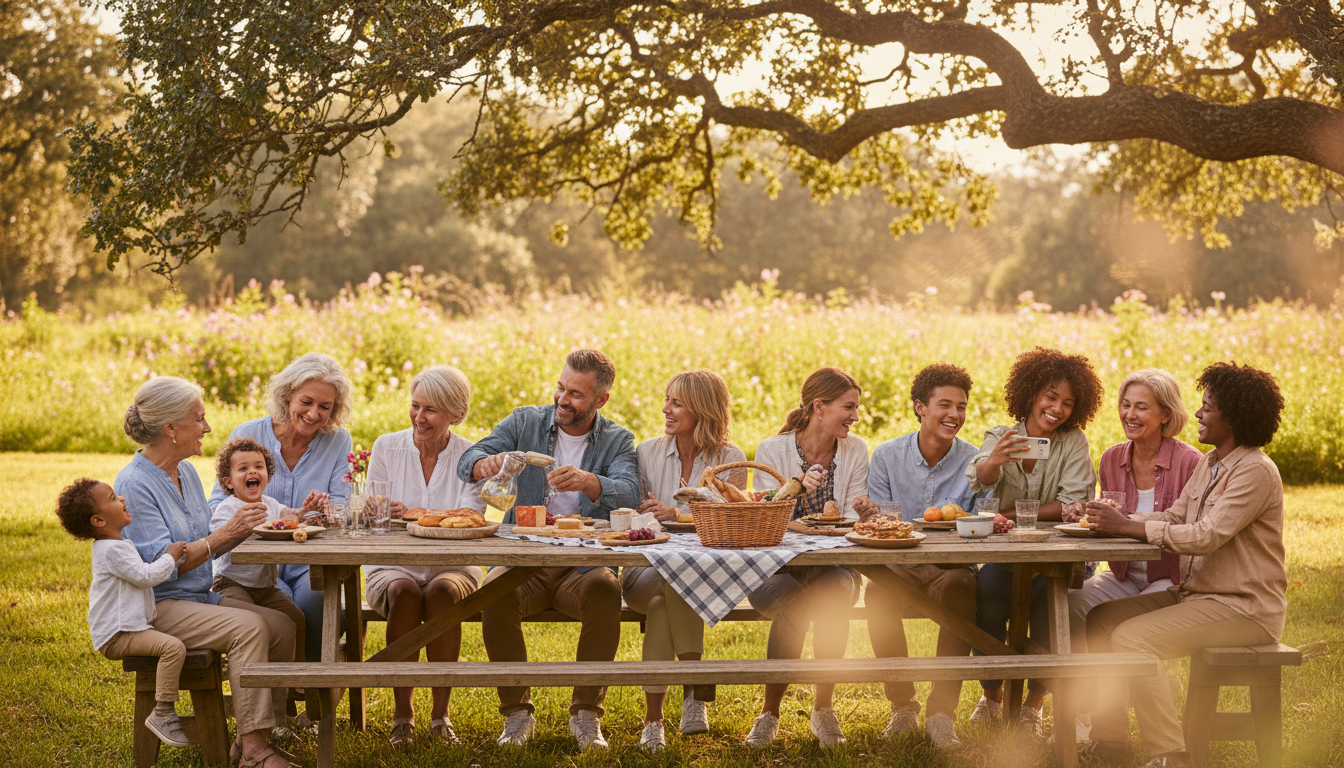
The answer isn't just taking more pictures; it's about a structured "Heritage Photo Project." This approach turns your gathering from a simple lunch into a historical preservation event. Here is how you can document four generations at your next family reunion without the usual coordination chaos.
1. Setting the Stage: Beyond the Potato Salad
Most reunions spend 90% of the planning time on the menu and only 10% on how the event will be remembered. To capture 4 generations effectively, you need a designated "Heritage Lead." This isn't just a photographer—it's someone who understands that Aunt Sarah won't know how to use a QR code, while the cousins will refuse to use anything else.
If you are planning for a group of 50 or more, start three months early. Ask every branch of the family to digitize just five "legacy" photos. These are the black-and-whites of the original homestead or the great-grandparents' wedding. By gathering these early, you create a foundation of history that makes the new photos taken at the reunion feel like part of a continuous story.
2. Creating the 'Legacy Lounge' Concept
When your family hasn't gathered in 10 years, you need an interactive way to bridge the gap. We recommend setting up a "Legacy Lounge" at the venue. This is a quiet, shaded area with three specific zones:
- The Scanning Station: A simple flatbed scanner or a high-resolution phone stand where elders can bring those loose physical photos to be digitized on the spot.
- The Story Corner: A tripod-mounted phone where family members can record 2-minute "video capsules" explaining the stories behind the old photos.
- The Live Stream: A screen displaying a real-time feed of photos being taken throughout the day.
By centralizing the media, you turn photo-sharing into an activity rather than a chore. It encourages Great-Grandmother Evelyn to tell the story of that 1954 road trip because she sees the photo enlarged on a screen, prompting the younger generation to ask questions they never thought to ask.
3. Solving the Photo Fragmentation Problem
The biggest pain point of any large gathering is the "Text Thread Nightmare." Ten different people start ten different group chats. Photos are compressed, quality is lost, and Grandpa Joe—who is still on a flip phone or a restricted tablet—is left out entirely.
This is where a unified platform becomes essential. For the Miller reunion, they utilized KnotShots to create a single, high-resolution gallery that worked for everyone. Instead of chasing down cousins for their iPhone shots, every guest simply uploaded to one central hub. The beauty of this system in a multi-generational setting is the accessibility; the tech-savvy teens can upload in bulk, while the less tech-inclined can view the gallery on a simple web link without needing to create a complex account or navigate social media privacy settings.
4. The 15-Minute 'Great Group Shot' Strategy
Nothing kills the mood of a reunion faster than 45 minutes of trying to get 60 people to look at the camera at once. To capture four generations without the meltdowns, use the "Core Out" method:
- Start with the Elders: Place the oldest generation in comfortable chairs first.
- Add the Direct Descendants: Have their children stand behind them.
- The Grandchildren and Great-Grands: Fill in the gaps around the edges.
- The 15-Minute Rule: Set a timer. Tell the family, "We are doing the official photo from 2:00 PM to 2:15 PM." When people know there is a hard end time, they are much more likely to cooperate.
Pro Tip: Have a designated "child whisperer" (usually the funniest uncle) standing right behind the photographer to get the toddlers to look toward the lens.
5. Engaging Gen Z and Gen Alpha
If you want the teenagers to participate in the heritage project, give them a role that utilizes their strengths. Assign the 12-to-18-year-olds as "Family Journalists." Their job is to capture candid moments—not just posed ones.
Provide them with a list of "Photo Scavenger Hunt" items:
- Two people from different generations laughing at the same joke.
- The oldest and youngest person in the family holding hands.
- A close-up of the family’s signature dish.
- Someone wearing a piece of family jewelry or a vintage t-shirt.
This turns the younger generation from passive participants into active historians. They are more likely to take high-quality, creative shots when they have a specific mission beyond "just take some pictures."
6. The Preservation Plan: After the Picnic Ends
A family reunion shouldn't end when the cars pull out of the driveway. The final step of the Heritage Photo Project is the "Digital Handover."
Within 48 hours of the event, ensure the gallery is organized into folders: Candid Moments, The Big Group Shot, and Legacy Photos. Send a physical photo book to the elders who don't spend time online, and ensure the digital link is shared with every household. By using a permanent hosting solution, you ensure that five years from now, when the next reunion happens, you aren't starting from scratch. You're simply adding the next chapter to a story that's already well-documented and safely stored.
Checklist for Your 2026 Heritage Reunion
- Appoint a "Heritage Lead" to manage the photo flow.
- Select a central sharing platform (like KnotShots) to avoid text-thread chaos.
- Pre-collect 5-10 legacy photos from each family branch.
- Set a 15-minute hard window for the large group portrait.
- Assign a scavenger hunt to the teenagers to capture candids.
- Schedule a digital "unveiling" of the full gallery one week after the event.
Family reunions are the only time our entire history exists in one physical space. Don't let those memories fade into a digital abyss. Plan your heritage project today, and give your family a gift that will last for another four generations.
Related Articles

7 Modern Ways to Connect Gen Z to Family History at Your 2026 Reunion
Discover 7 creative strategies to engage Gen Z with family heritage during your 2026 reunion, from interactive QR stations to digital photo hubs.
5 Generations, 1 Album: Your 2026 Family Reunion Digital Heritage Guide
Learn how to bridge the tech gap and collect photos from every generation at your next 100-person family reunion.

The 2026 Heritage Project: Documenting 4 Generations at Your Reunion
Stop chasing cousins for photos. Learn how to create a living family archive at your next reunion with these 5 expert steps for multi-generational success.